Reading Your Google Profile Performance
One user counts once a day, and Google Ads data is folded in: what the numbers on your profile actually measure and which conclusions hold up
The profile shows numbers: so many views, so many calls, so many directions requests. They look precise, yet they rarely match what actually happened in the restaurant. Before drawing conclusions from them, it pays to know what is being counted.
Two quirks explain most of the misunderstandings, and both sit openly in Google’s documentation.
One user, one day, one view
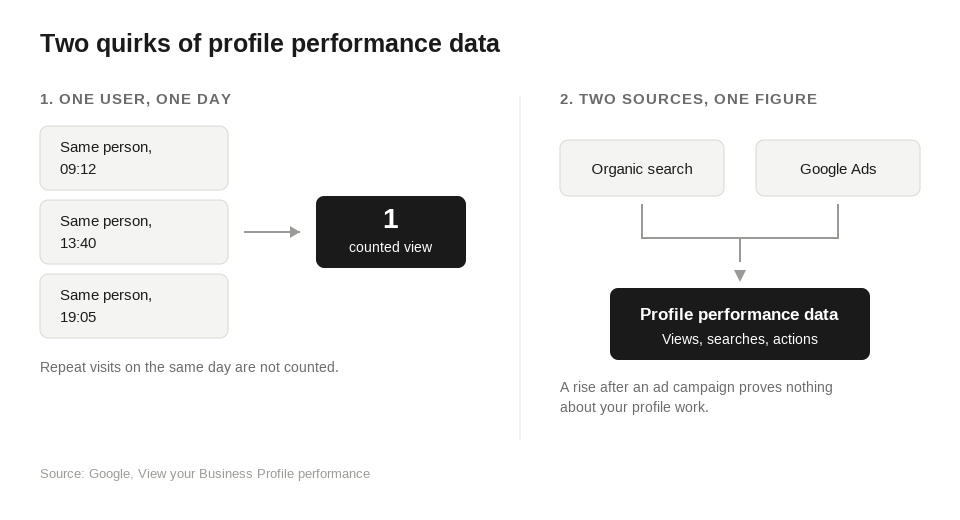
The views metric does not count page views, it counts individual visitors. Google states the rule plainly: a user can only be counted once per day, and multiple visits by one user on the same day are not counted.
So someone checking three times a day whether you are open today shows up once. Across several devices, repeat counting is limited as well.
Which means the number is not small, it is defined differently. Comparing it with website statistics that count page views misleads you systematically.
(Source: Google: View your Business Profile performance)
Advertising is folded in
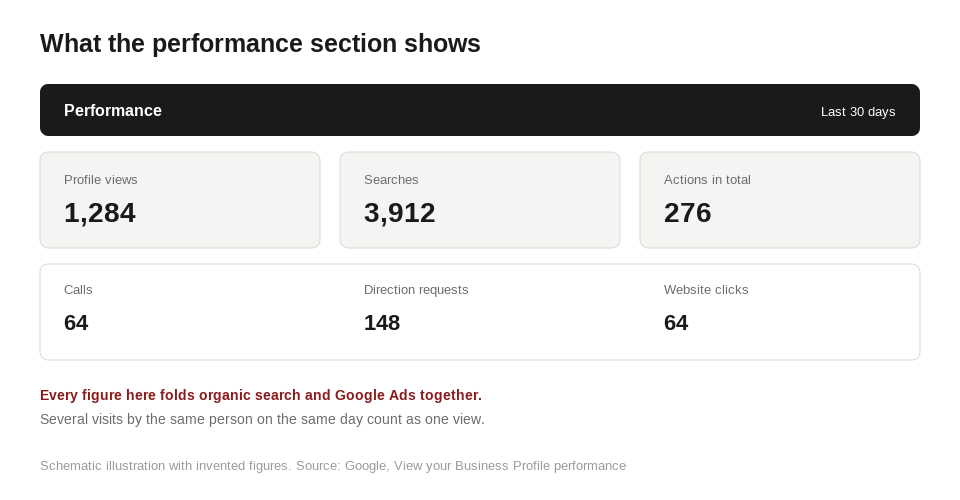
The second point gets overlooked even more often: performance data includes views, searches and actions from organic search results and from Google Ads.
So if you run ads, the profile shows you a blend. A rise after an ad campaign starts does not prove that profile work paid off. If you run no ads, you can ignore this, but it is worth knowing before comparing your figures with another business.
What each metric measures
| Metric | What it counts |
|---|---|
| Views | How many users saw the profile in Search and Maps, once per user per day |
| Searches | The terms users searched with to find the business |
| Interactions | A summary of all interactions, without Google naming the components |
| Directions | How many users requested directions |
| Calls | Clicks on the call button, only with a phone number on file |
| Website clicks | Clicks on the website link on the profile |
| Messages | The number of distinct conversations through messaging |
| Bookings | Bookings made, only with a booking provider |
That Google does not list which actions feed the combined interactions figure is unsatisfying but documented as such. For decisions, the individual metrics serve better than the sum.
Delays and gaps
Search terms lag behind. That report is updated at the start of each month, and it can take up to five days to appear. For the question of whether last week’s change worked, it is useless.
Some values are missing entirely. Google only shows metrics relevant to the business. No phone number, no call statistics. No booking provider, no bookings. And performance data generally requires a verified profile.
The counting method changed. For directions requests, Google now accounts for multiple taps, abandoned requests and spam. Comparing year over year may mean comparing two different measurement methods.
Which conclusions hold up
Trends, not absolute values. The direction across months tells you something, the single figure barely does, especially where ads are mixed in.
Ratios, not totals. More interesting than the number of views is how many of them lead to an action. Plenty of views without calls or directions requests points at a profile that gets found but does not convince, for instance because photos or opening hours are missing.
Search terms as a corrective. If guests arrive with terms that do not match your offering, something is off in your category or description. See our articles on the Google Business category and the business description.
Comparisons with competitors stay guesswork. You cannot see anyone else’s performance data, only their public profile. What can be read from that is covered in our article on analysing competitors in Google Maps.
What Google leaves open
Two things are absent from the documentation, so do not build an analysis on them:
- How far the data reaches back. No maximum history is stated
- Whether and how bot traffic is filtered. Spam is mentioned only for directions requests, there is no general statement about bots
The bottom line
The numbers on your profile become useful as soon as you know that views mean individual visitors per day and that ads are counted in. Then you read trends rather than absolutes, watch the ratio of views to actions, and treat the search terms as a hint about category and description. Giving the profile the upkeep that moves those numbers in the first place is what SupaPresence handles for restaurants. Join the pilot for free.
Frequently Asked Questions
Why are my view counts so low?
Because Google counts individual visitors, not page views. A user can only be counted once per day, and repeat visits by the same person on the same day are not counted. The figure therefore sits below what website statistics lead you to expect.
Do the numbers include advertising?
Yes. Performance data includes views, searches and actions from organic results and from Google Ads. If you run ads, you are looking at a blend and should factor that in.
Why are some metrics missing for me?
Google only shows metrics relevant to your business. Calls are only recorded once a phone number is on file, bookings only with a booking provider. Performance data also requires a verified profile.
How current are the search terms?
The searches report is updated at the start of each month, and it can take up to five days to appear. It is therefore no use for short-term analysis.
Can I compare the numbers across years?
Carefully. Google changed how directions requests are counted and now accounts for multiple taps, abandoned requests and spam. A decline may come from the measurement rather than the business.